Showing posts with label povray. Show all posts

Wednesday, March 23, 2011

Space Walk


Here's an image I made in povray. In the background is NASA's recent image of Mercury from the MESSENGER mission. The image is no where near complete. But it's at that stage where I'm just throwing elements together. Sometimes these early versions have so much genius to them by accident, that you can never improve upon, only destroy, with intentional tinkering.

Friday, March 11, 2011

Multi-speed, curved, walk cycles on the moon


This animation was inspired both by the scenes in 2001 where astronauts exercise by jogging on the inside of a curved spaceship and a Mario Brothers game where Mario runs around little planets. I also wanted to show of the versatility of my walk system in povray. I've got characters walking according to curves in 3D space and multiple speeds.

Tuesday, March 08, 2011

Walk around the world

More tweaking of povray walk cycle code. Testing out that I can make the walk path lie on a nonplanar surface.

Thursday, February 03, 2011

Man through maze, second draft.


In this version, I simply put in a natural_spline for the spline that controls time-to-position along the path, and this makes for a very natural acceleration. The red dots are on the ground every nth increment of time.

Tuesday, February 01, 2011

More povray walking along a path

A pastor friend asked me to make a video of a man walking through a maze. Here's the first draft, showing my walking system in action.

Monday, May 10, 2010

Animatable mesh2 in povray for character animation

I've spent more time working on an animatable mesh in povray. This object here is a single, mesh2 object created in povray. It may look creepy now, but I hope someday to make a character like in the movies. The biggest success seen here is that I was actually able to get the character's head to rotate back and forth. I was fighting the code and didn't realize it was actually working this well until I saw the final video. I still haven't figured out why the back of the head has a flat spot on it-- that's next to fix.

Thursday, January 07, 2010

Tuesday, December 29, 2009

Sunday, December 27, 2009

Test of comics frame implementation in povray


This may not be that interesting to a lot of people, but this was set up as a single-pass render in povray. Using the camera_view pigment in Megapov, I can now do a single-pass render of a whole four-panel comic. More to come.

Friday, December 11, 2009

"Nuther red-cyan anaglyph

Made with Megapov.

Friday, October 09, 2009

11SecondClub Draft

I'm working on a new animation for the 11SecondClub October 2009 round. I usually like to work on the lip syncing first. I still have a little bit of work to do on this yet.


Sunday, June 21, 2009

Animated textures and spaceship construction.

Just goofing around.

The spaceships are made in povray. I got some interesting effects without calling any threshold in the blob.

Monday, May 18, 2009

Procedurally generated landscape -- land and sea

Here's yet another procedurally generated landscape. It shows some densely packed islands by the sea that starts out in complete chaos, but eventually establishes a more stable form, but never stops "bubbling".

This is also one of the first times I've tried blip.tv's embeddable player.

Friday, May 15, 2009

How to make one-pass 3D anaglyphs in povray

This requires the Megapov patch of povray

1. Give all your objects a pigment which is of the form rgb < n , n , n > , where n is between zero and one. In other words, black and white.
2. Make up two camera_view pigment patterns in povray, which are identical in every respect, including the look_at vector, except that the locations of the camera are separated by a few pov-units.
3. Make up three subsequent pigments:
i) one that makes use of your left pigment and goes from black to 3*red
pigment{function{left_camera_pigment (x,y,z).red} colour_map {[0 rgb 0][1 rgb <3,0,0>]}}
ii) one that makes use of your right pigment and goes from black to 3*green
iii) one that makes use of your right pigment and goes from black to 3*blue.
4. Set up an average pigment which combines the three with equal strength.
5. Set up a box that fills the camera (see my earlier povray posts) and has the pigment in #4 as its texture.

Now, when you render, you will be automatically creating red-cyan 3D anaglyphs in povray.

Enjoy

Thursday, May 07, 2009

3D Anaglyphs in povray, the way they're supposed to look!

What is a blog but a serial diary of your progress towards a goal? ;-)

3d4 from pterandon on Vimeo.


I had been wondering why the blue component of my attempts at anaglyphs in povray never looked right. I did some more reading on anaglyphs and saw that they are often red-CYAN, not red-BLUE. So with a little programming tweaking, I was able to set it up to be a red-cyan anaglyph. And I think they look great!

Once again, for the best effect, follow through the link to Vimeo to see it full screen.

Wednesday, May 06, 2009

Improved red-blue 3d anaglyph, one-pass rendering in povray

3d3 from pterandon on Vimeo.


Here is an improved version of the output from my algorithm for making anaglyphs in povray. It is done as a one-pass render, no post-processing required.

[Edit: Note that this still from the timeframe in which I was making red-blue anaglyphs instead of red-cyan. I'm leaving this in the historical record, because perhaps some day someone will want to know what a red-blue anaglyph looks like! ]

Tuesday, May 05, 2009

Early, faulty versions of a one-pass 3D anaglyphs in povray

Here's my psuedocode for how one can make 3D anaglyphs in povray. Get your red/green glasses and go to the Vimeo site to see it fullscreen! As is the case for most great coding efforts in povray, I couldn't have done it without a pointer from Mike Williams. It requires the Megapov patch of povray.

[Edit: I now realize that these have a mistake in how they are generated. These next few postings are literally red-blue anaglyphs, but most folks have red-cyan glasses. Check later entries of the blog for further improvements.]


3d2 from pterandon on Vimeo.

Thursday, April 30, 2009

I am winner!


I am the winner of the January 2009 Round of the TC-RTC Animations competition. You can see all the remaining entries that I beat out by clicking on those links. Oh, um, but wait, I was the only entry :"-)

Friday, April 24, 2009

Mechsim patch in povray

The program povray has a patch called MegaPov. It adds some pretty cool features to povray's basic abilities. One of them is the mechsim patch.

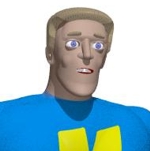
I dusted off an old project where I made some giant, rubbery blocks fall on the head of our hero, an object constructed out of povray blobs. It makes for a faily entertaining if not realistic show:


Mind you that the path expects objects to be made in a certain way, an iso, and a blob is not one of them. The fact that it works at all with blobs is pretty cool. But the limitation proves fatal for realism if you try to press it too far.

Here's an attempt to have M.I.M.E. Man punch the blocks out of his way. His arms get caught on the vertices of the falling blocks. Oh well. It was fun while it lasted. But perhaps viewers can try out the patch and do some pretty interesting things with more simple geometries. Or if you know a way to code the SDL for the patch to work better, please drop me a note or comment in the blog. thanks.